ready2order LogoPOS system
  • Pricing
  • Contact us
  • Login
Free trial
ready2order LogoPOS system

Pricing

Contact us

Free trialLogin

* You can only connect one device per Bluetooth.

ready2order LogoPOS system

POS Hardware

  • readyMini
  • readyGo 2 (NEW!)
  • readyTab
  • readyMax 2
  • Overview

Industries

  • Gastronomy
  • Retail
  • Service

Software

  • POS Software
  • Cashbook
  • Downloads
  • API
  • Supported Devices

Company

  • About Us
  • Career
  • Jobs
  • Whistleblower

Support

  • Help Center
  • Service Packages
  • Login
  • Contact
  • Terms of Service
  • Legal Notice
  • Privacy Policy
  • Cookie Settings
ready2order LogoPOS system
4.31
2348 Reviews at ProvenExpert.com

Devices, printers and accessories that can be used with ready2order

Find out if you can use your existing device with our POS app!

r2o_logo_t_200x_rgb-b.png

POS app for smartphone, tablet & desktop

Our app works on all devices with the following operating systems:

Android 7+

App Download Google Play

iOS 16.6+

App Download in App Store

Windows 10+

App Download Windows

macOS 12.5+

App Download in App Store

Unfortunately, the ready2order POS app cannot be used on devices from the manufacturer Huawei without Google services such as the Google Play Store.

Supported browsers

Our POS app works on all devices with the following browsers:

Chrome 106+

Edge 106+
Safari 16+

To enjoy the best software quality, keep your operating system, your browser and the ready2order app always up-to-date.

drucker.svg

Supported printers

Epson TM-m30III

Standard width 80mm, cash drawer connection RJ11/12

iOS

  • Bluetooth*
  • Lan
  • WLAN

Android

  • Bluetooth*
  • Lan
  • USB
  • WLAN

Windows

  • Bluetooth*
  • Lan
  • USB
  • WLAN

Mac

  • Lan
  • USB
  • WLAN

Epson TM-m30II

Standard width 80mm, cash drawer connection RJ11/12

iOS

  • Bluetooth*
  • Lan

Android

  • Bluetooth*
  • Lan
  • USB

Windows

  • Bluetooth*
  • Lan
  • USB

Mac

  • Lan
  • USB

Epson TM-m10

Ticketroll width 58mm, cash drawer connection

iOS

  • Bluetooth*

Android

  • Bluetooth*
  • USB

Windows

  • Bluetooth*
  • USB

Epson P20

Standard width 58mm

iOS

  • Bluetooth*

Android

  • Bluetooth*

Windows

  • Bluetooth*
  • USB

Mac

  • USB

Epson TM-T20III

Standard width 80mm, cash drawer connection RJ11/12

iOS

  • Lan

Android

  • Lan

Windows

  • Lan
  • USB

Mac

  • Lan
  • USB

TM-T88VI

Standard width 80mm, cash drawer connection RJ11/12

iOS

  • Lan
  • Bluetooth*

Android

  • Lan
  • Bluetooth*

Windows

  • Lan
  • Bluetooth*
  • USB

Mac

  • Lan
  • USB

Star Micronics SM-S230i

Standard width 58mm

iOS

  • Bluetooth*

Android

  • Bluetooth*

Star Micronics mPOP

Standard width 58mm

iOS

  • Bluetooth*

Star Micronics TSP143IIIU

Standard width 80mm, cash drawer connection RJ11/12

iOS

  • USB

Star Micronics TSP654IIBI

Standard width 80mm, cash drawer connection RJ11/12

iOS

  • Bluetooth*

Bixolon SPP-R200III

Standard width 58mm

Android

  • Bluetooth*

A4 printers

You can use any A4 printer if it meets the following criteria:

iOS

  • All AirPrint compatible A4 printers

Android

  • All Android compatible A4 printers

Windows

  • If printer can be installed locally on Windows

Mac

  • If printer can be installed locally on Mac
scanner.svg

Supported accessories

SumUp Solo Payment Terminal

iOS

  • Is supported

Android

  • Is supported

Smart tipping not supported yet.

SumUp Air Payment Terminal

iOS

  • Is supported

Android

  • Is supported

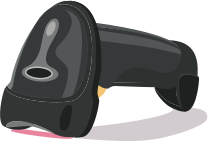
Barcode Scanner

Examples of compatible barcode scanners:

Inateck Pro 170B

Inateck BCST-70

Socket Mobile S700 1D

Supports:

  • Android
  •  iOS
  • Windows
  • macOS

Supports:

  • Android
  • Windows
  • macOS

Supports:

  • iOS

Cash Drawer

Examples of compatible cash drawers:

  • Metapace K-1
  • Metapace K-2
  • Metapace K-3
  • Metapace K-4
  • Star CB-2002

With ready2order electrically opening cash drawers can be controlled. For this, the cash drawer must have an RJ11/RJ12 plug and be connected directly to the receipt printer. For this purpose, compatible receipt printers have a slot on the back where the cash drawer connection cable can be plugged in (cash drawer connection or RJ11/RJ12 socket). Cash drawers with USB connection are not compatible with ready2order.